

Jebbie's Satchel
Every herb and vein on your map, and a smarter way to farm them.
 Made for WoW Forever
The launcher is coming soon for your system. Until then, install the addons by hand: it takes a minute.
or install Jebbie's Satchel by hand · what the launcher does
Every system
- Mac (Apple Silicon and Intel): JebbiesMods-0.1.23-universal.dmg (9.3 MB, signed and notarized)
- Windows: JebbiesMods-0.1.23-x64-setup.exe (2.3 MB)
- Linux: launcher coming soon; install by hand

Every node on your map
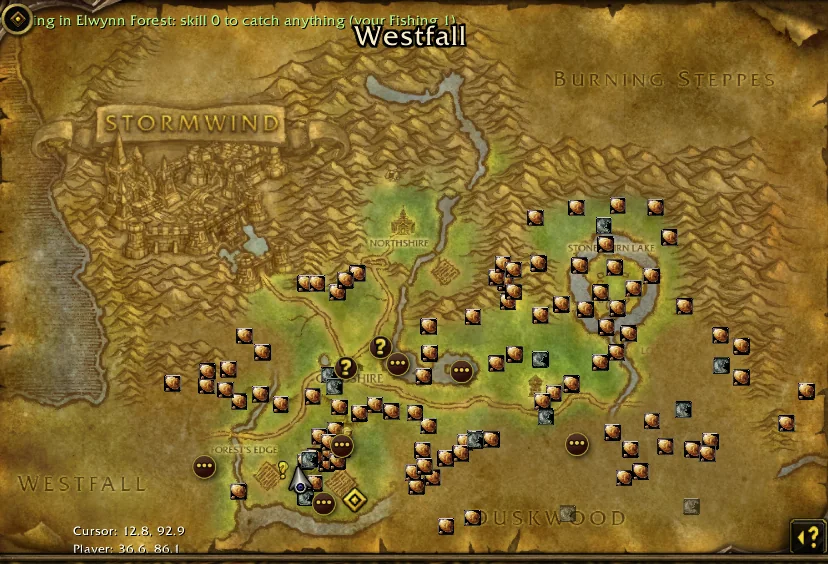
Herbs, ore veins and skinnable beasts from the 1.12 world are pinned on your world map and minimap from the first login, with your fishing spots and, if you switch them on, treasure chests. Pins are colored the way the game colors your skill-ups (orange, yellow, green, gray), and gray ones hide themselves unless you want them. On a continent map you get one pin per zone with the counts.
It learns from your gathers
Every node you gather is remembered, and nodes the old data never had are added to your map. Hover a pin to see how often you gathered it and when you were last there. Your finds are yours: they stay in your game and never leave it unless you share them.
Respawn timers
A node you just picked is dimmed with a countdown: back in about 5 minutes, or may be back now. The times come from the 1.12 data and get sharper from your own re-gathers, so you stop running to empty spots.
Farm loops with a path and an arrow
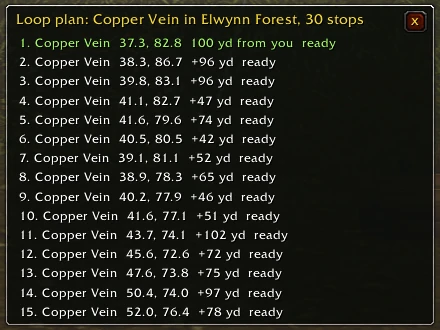
Pick an herb or ore, then a zone ranked by how many are known there, like Mithril in Tanaris. The Satchel builds a short circuit through the best cluster, draws it on your world map as numbered stops with a dotted path, and puts an arrow on screen pointing at the next stop. It skips nodes still respawning and moves on when you gather or arrive. Plan it from a city and it waits until you get there. Tight, wide or whole-zone loops, and it survives a reload.
Twelve profession guides, 1 to 300
Mining, Herbalism, Skinning, First Aid, Cooking, Fishing, Tailoring, Leatherworking, Blacksmithing, Engineering, Alchemy and Enchanting. Each guide shows your skill and rank, what to make or gather now and next, about how many, where to learn it and for how much, and when to see the trainer. Specializations like Gnomish or Goblin Engineering are laid out with the quest and who gives it for your side. Rare-drop and reputation recipes are listed under Also out there, never on the path.
Shopping lists you can copy
Every crafting guide has a shopping list for the next rank or all the way to 300, with sub-crafts worked out for you: bars from ore, bolts from cloth, cured leather from hides. Each line says where it comes from (your own gathering, the nearest vendor for your side, what drops it), and the whole list copies into chat or a note. Vendor prices only, no auction guesswork.
What's this worth?
Item tooltips tell you what a thing is for: its vendor price each and for a stack, the recipes that use it, how many your current guide step needs, what ore smelts into, which beasts drop a leather, and where an herb or ore is gathered most. Three short lines, more when you hold Shift, and Alt-click a gathered item to plan a farm loop for it. Every line has its own switch.
Comprehension scroll tips
New in the beta: on a Mage Comprehension scroll, the tooltip says what the scroll needs, what you have, and whether to keep it and decipher it, so the Satchel never tells a Mage to sell research scrolls. The scroll data comes from the public beta and is marked unverified.
Share your finds, and it works with the family
Turn the nodes you found into a code, paste it to a friend however you like, and their Satchel adds them. With Jebbie's Almanac, your gathering steps show where each herb and vein is seen most and point at the nearest one that is ready. With Jebbie's Voices, Jebbie tells you when a node is close, when the loop moves on, when you finish a lap and when it is time to see a trainer. Each mod works on its own too.
Advice only, and yours to trim
The Satchel never plays for you: no auto-gathering, no movement, no selling, nothing in combat. It follows Blizzard's addon policy. Guide packs are optional, so in Jebbie's Mods you can tick only the professions you care about and keep it light.
At a glance
Status, commands and bug reports
Status
Stable · 0.1.70On this site and in the Jebbie's Mods launcher, and on CurseForge and Wago Addons.
Slash commands
/satchelJebbie's Satchel: pins, farm loops and settings/jbugReport a problem
Found a bug?
Type /jbug in the game to report it; the launcher sends the report for you. No launcher? Use the bug form at jebbiesmods.com/bug.
Everything in it
Every feature
Every node on your maps
Herbs, mining nodes and treasure chests of the old world on your world map and minimap, 20,544 of them.
Colored by your skill
Each pin shows the skill a node needs and yours, in the game's own orange, yellow, green and gray.
Learns what Forever changed
Every gather is remembered where you stand, and nodes the old data lacks are saved as found in Forever.
Shows what you gather
Herbalism shows herbs, Mining shows ore, or tick exactly which nodes you want in Satchel settings.
Satchel settings
One window for what to show, pins on the world map and minimap, merging, range and help.
Filters for each character
Show herbs, ore, treasure or fishing, only what you can gather now, hide gray nodes, or focus on one type.
Your gathering history
Hover a pin to see how often you gathered there and when.
Your fishing spots
Every catch marks a fishing spot on your map, with what you caught there.
Skill numbers from the game
The skill Forever's own tooltip shows for a node replaces the old number, lockpicking included.
Farm loop
Pick a herb or ore and walk a short loop over its best cluster in your zone, with the waypoint moving on at each stop.
Plan a farm loop anywhere
Pick a herb or ore, then a zone ranked by known nodes, for example Mithril in Tanaris. The loop waits until you get there, starts at the stop nearest you, and comes back after a reload. Tight, wide or whole-zone loops.
The loop drawn on the map
A dotted path joins the numbered stops of your farm loop on the world map, the leg to the next stop in green. Stops waiting to respawn are dimmed and say when they are back.
Arrow to the next stop
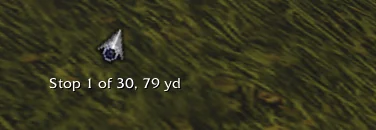
A small arrow on screen turns toward your farm loop's next stop, with the stop number and the distance. Drag it where you like; it hides in combat and can be switched off.
What's this worth?
Item tooltips show the vendor price each and for a stack, the recipes that use it, how many your current guide band needs, and where it is gathered, with Alt-click to plan a farm loop there. Three lines at most; hold Shift for all. Each line can be switched off.
Works with Jebbie's Almanac
The Almanac's gathering steps point at the nearest real node when the Satchel is installed.
Jebbie on your minimap
Left-click turns pins on or off, right-click opens the menu, and slash commands cover the rest.
One-step update
One command updates the addon and tells you which version you had and which you have now.
Report a problem from the game
Tell Jebbie what went wrong from the minimap menu, with where you stood attached and your name only if you choose.
Jebbie talks you in
With Jebbie's Voices, she tells you when you are close to the next node and when the loop moves on.
Pick your icon
Four satchel icons for the minimap button, chosen in Satchel settings.
Beasts to skin
With Skinning, the areas where skinnable beasts roam show on your maps, colored by your skill.
Fishing pools and hotspots
Your catches mark pools and hotspots, and each zone map shows the fishing skill it needs.
What's next
For Herbalism and Mining, what gives skill-ups now, what you unlock next, and the zones where each clusters.
Zone counts on the continent map
One pin per zone on the continent map with how many of your nodes are there; click to open the zone.
Respawn countdowns
Nodes you just gathered dim with a respawn countdown, and the farm loop skips them until they are back.
Share finds with friends
Your Forever finds and fishing spots as a code to copy; import a friend's, no server needed.
Gathering guides, 1 to 300
Optional guides for gathering, First Aid, Cooking, Fishing and Tailoring: what to gather or make at your skill, where, and when to train.
Shopping lists
Recipe guides total every material from your skill to the next rank and to 300, ready to copy.
Advice only, free forever
It never gathers, loots or moves for you, has no ads, and nothing in the game asks for money.
Get it
Install Jebbie's Satchel
The launcher installs and updates it for you. Or install it by hand:
Jebbie's Satchel 0.1.70
1.9 MB · released 2026-10-13 · for WoW Forever (interface 16001)
Download JebbiesSatchel-0.1.70.zipSHA-2560260e1228cd01c6921f730a32a67429fdcdf0e0c8cce14aa226b6aa4a7186a0b
What's new in 0.1.70
Improved
- The Jebbie's menu is one short list: one row per addon plus the guide areas and Shared settings, each opening its tools in a side menu, so the menu stays short however many mods you install.
Testers: the Jebbie's Mods app has a switch, "Beta: get new builds early (may have bugs)". Beta builds are never listed on this page.
Download and unzip
Unzip
JebbiesSatchel-0.1.70.zip. It holds the folder,JebbiesSatchel.Put it in your AddOns folder
Move the
JebbiesSatchelfolder intoWorld of Warcraft/_classic_beta_/Interface/AddOns. On a Mac that is usually/Applications/World of Warcraft/_classic_beta_/Interface/AddOns; on Windows,C:\Program Files (x86)\World of Warcraft\_classic_beta_\Interface\AddOns. Replace the old folder when you update.Start the game, then
/reloadfor updatesThe first time, restart the game: a new addon folder is only seen at startup. After an update,
/reloadis enough.Check the download, if you like
Mac:
shasum -a 256 JebbiesSatchel-0.1.70.zip. Windows:certutil -hashfile JebbiesSatchel-0.1.70.zip SHA256. It should match the SHA-256 above.
In the game
Screenshots
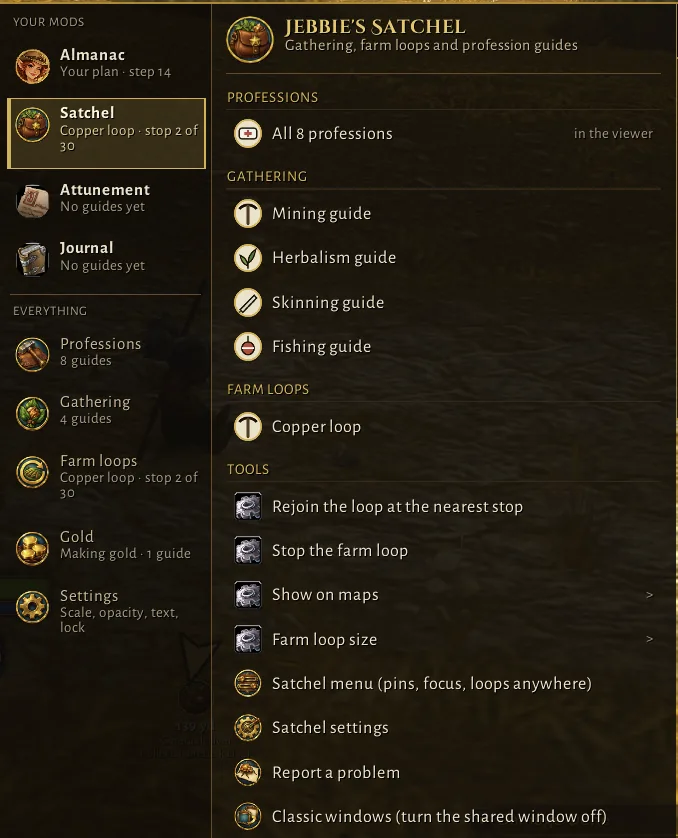
Jebbie's Satchel in the Jebbie's menu, in the beta.
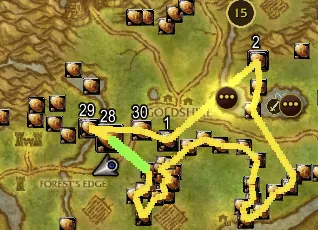
The Copper loop on the world map.
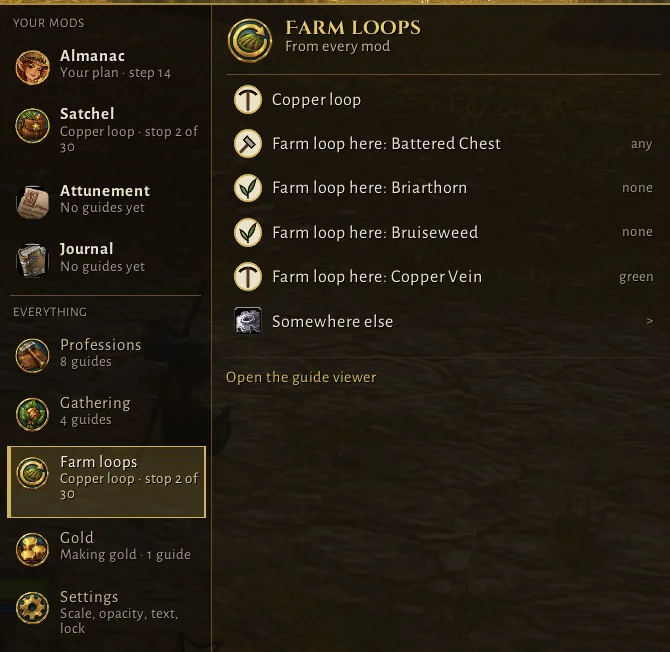
Farm loops in the Jebbie's menu, in the beta.
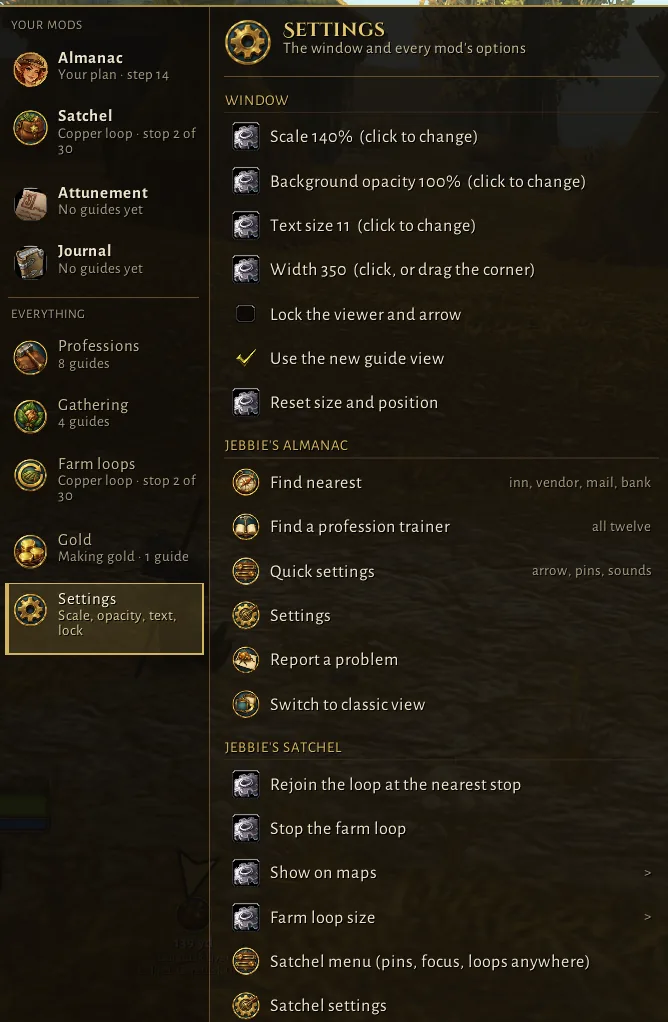
Settings for every mod in one place, with the Satchel's own section.